
Blog / VW Infotainment System and Technology

Blog

All VW Infotainment System and Technology Longview Volkswagen Dealer Gorman McCracken Volkswagen Austin TX VW Dealer Gorman McCracken Volkswagen Service Longview Volkswagen Service New SUVs Longview, TX VW SUVs 2026 VW SUVs 2026 VW Tiguan Longview, TX Used SUVs Longview, TX VW SUVs Longview, TX 2026 VW Tiguan 2026 Volkswagen Taos Volkswagen Service VW Service Center Longview, TX 2026 Volkswagen Atlas 2026 VW Jetta Longview, TX Longview Used Cars 2026 Atlas Cross Sport 2026 Volkswagen Taos vs. 2026 Volkswagen Tiguan 2026 VW Tiguan Trim Levels Longview, TX 2026 VW Atlas New Volkswagen ID.4 VW Jetta Longview, TX VW Loan Longview, TX VW Maintenance Longview TX 2026 Atlas Cross Sport Longview, TX Auto Loan Longview, TX Car Suspension Service Austin TX Longview TX Volkswagen ID.4 Longview, TX VW Taos New Car Test Drive in Longview, TX Volkswagen Taos Austin, TX VW Finance Longview, TX VW Loan Austin, TX VW Maintenance Austin TX VW Maintenance Habits VW Maintenance Tips VW Tiguan Longview, TX 2026 VW Taos Trim Levels Car Suspension Service Longview TX How To Connect Your Android To Your VW How To Connect Your iPhone To Your VW Longview TX Volkswagen Golf GTI Longview, TX VW Atlas VW Jetta Austin, TX 2025 Volkswagen ID.4 2025 Volkswagen ID.4 Features 2026 Volkswagen Golf GTI 2026 Volkswagen Jetta Trim Levels 2026 Volkswagen Tiguan Tech 2026 VW Apple Charging 2026 VW iPhone Charging 2026 VW Jetta GLI 2026 VW phone technology Austin TX Volkswagen Golf GTI Austin TX Volkswagen ID.4 Best 2026 Volkswagen SUVs for Growing Families CPO Cars Longview, TX New Volkswagen Golf GTI VW Atlas Cross Sport Longview, TX VW CPO Benefits VW CPO Cars Longview, TX VW Finance Department Longview, TX VW Golf GTI VW Suspension Service Austin TX VW Suspension Service Longview TX 2025 Volkswagen Golf GTI 2025 Volkswagen Taos 2025 VW Jetta 2026 Fuel-Efficient VW 2026 Fuel-Efficient VW Models 2026 Hatchbacks 2026 Volkswagen Financing vs Leasing 2026 Volkswagen Golf GTI vs. Golf R 2026 Volkswagen ID.4 Charging 2026 Volkswagen ID.4 Range 2026 Volkswagen Jetta vs. 2026 VW Jetta GLI 2026 Volkswagen Tiguan Safety 2026 VW Hatchbacks 2026 VW Warranty 2026 VW Warranty Coverage 2026 VW Warranty Enhancements Auto Suspension Tips Best Road Trip VW Best Volkswagen Vehicles for College Students Brake Repair Longview, TX Brake Replacement Longview, TX Certified Pre-Owned Volkswagen Check Engine Light Longview, TX Custom VW Order Longview, TX Engine Air Filter Longview, TX Fuel-Efficient Cars Longview, TX Fuel-Efficient VW Longview, TX How to Know When Your VW Needs a Suspension Check How to Use Apple CarPlay in Your Volkswagen Longview, TX Volkswagen Golf GTR New VW Lease Longview, TX Oil Change Longview, TX Tire Rotation Longview, TX Tire Shop Longview, TX Volkswagen Check Engine Light Volkswagen Custom Order Volkswagen Tire Check Longview, TX VW Brake Tips VW Brakes VW Brakes Longview, TX VW Carefree Coverage Warranty VW Carefree Coverage Warranty Longview, TX VW Cargo Carriers VW College Grad Discount Longview, TX VW College Grad Program VW College Grad Program Longview, TX VW Engine Air Filter VW Engine Air Filter Replacement Longview, TX VW Engine Longview, TX VW Hatchbacks Longview, TX VW interior screen VW Needs a Suspension Check VW Needs a Suspension Longview, TX VW Oil Change VW Oil Change Longview, TX VW Roof Racks VW Roof Racks Longview, TX VW Summer Road Trips VW Taos Longview, TX VW Test Drive in Longview, TX VW Wireless Charging What to Do When Your Check Engine Light Comes On What to Do When Your VW Check Engine Light Comes On
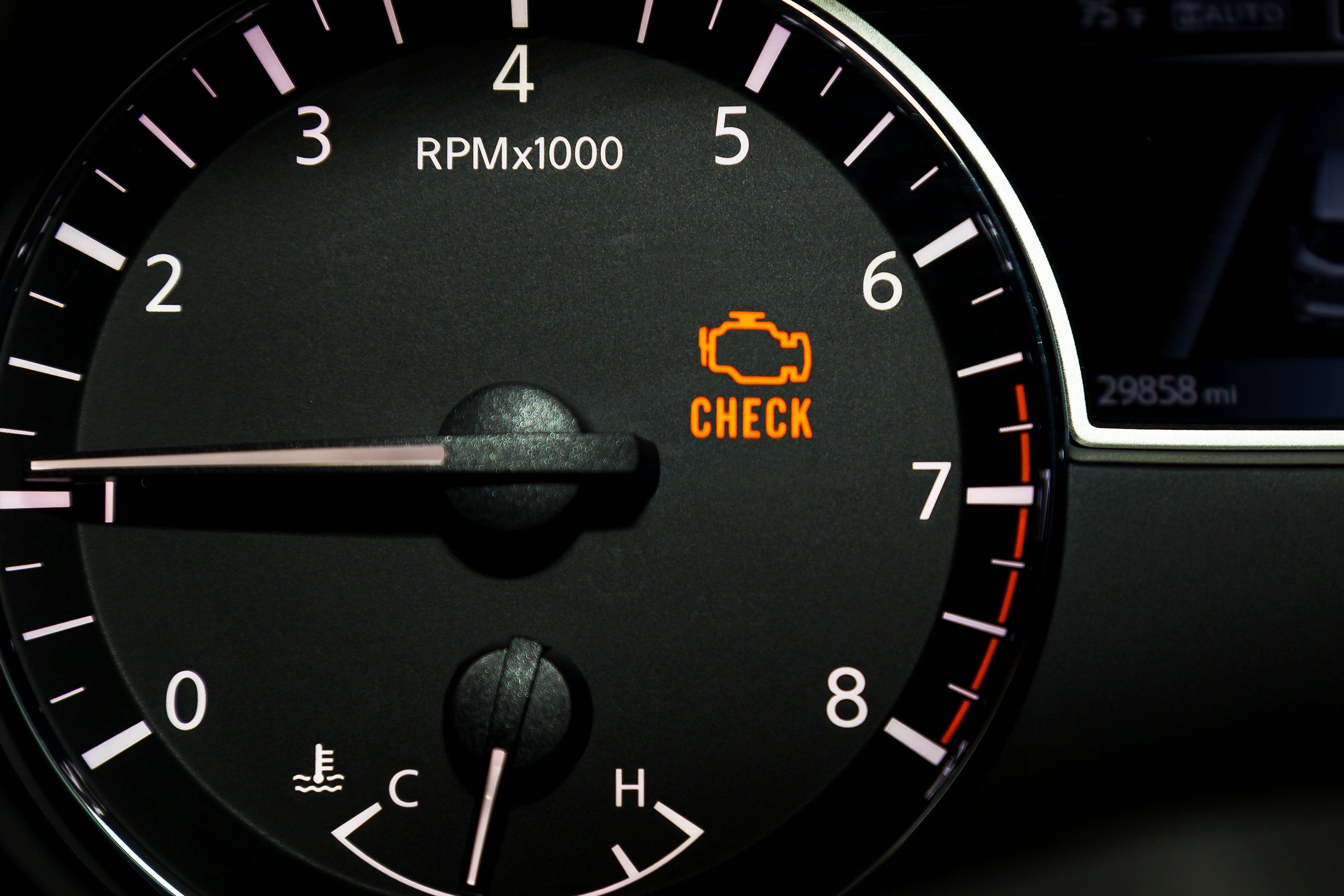
Check engine warning light on dashboard.

Your Volkswagen Check Engine Light Is a Warning, Not a Diagnosis

A Check Engine Light is wonderfully specific about one thing: the Volkswagen has detected something it doesn't like. Beyond that, the little amber engine symbol is deliberately unhelpful. The onboard diagnostic system can illuminate it when monitored engine or emissions-related operation falls outside expected parameters, storing diagnostic information that can help identify where technicians should begin looking. The cause might prove minor. It might not. For Volkswagen owners around Longview, TX, the best response is to pay attention to the light, the way the vehicle is behaving, and any other warnings accompanying it. The Trouble Code Is the Beginning of the Investigation When the Check Engine Light appears, the vehicle's diagnostic system may store one or more diagnostic trouble codes. Reading those codes is important, but a code doesn't necessarily identify a failed component ready for replacement. It identifies the system or condition that triggered the fault. Proper Check Engine Light diagnostics can require testing the associated components, wiring, connections, or operating conditions before deciding what needs repair. Otherwise, diagnosis becomes expensive parts darts, which is not an especially sophisticated way to maintain a Volkswagen. There Are Plenty of Reasons the Light Can Come On A loose or improperly secured fuel cap can trigger an emissions-related warning on vehicles equipped with one, but Check Engine Lights can also be associated with ignition misfires, oxygen-sensor faults, airflow-measurement problems, catalytic-converter efficiency faults, and numerous other conditions. Spark plugs, ignition components, sensors, emissions hardware, and electrical systems can all become part of the diagnostic process depending on the stored fault. The important point is not to assume the most convenient explanation. A dashboard light doesn't know which repair you'd prefer to pay for. A Flashing Light Demands More Urgency The behavior of the warning deserves attention. A flashing Check Engine Light can indicate a severe misfire or another condition capable of causing further damage, including damage to emissions components. If the light flashes, or the Volkswagen is shaking, losing substantial power, overheating, producing unusual noises, or displaying additional serious warnings, continuing to drive may not be appropriate. Reduce load on the vehicle, move somewhere safe when possible, and seek service assistance. A steady light can be less urgent, but it still shouldn't be treated as proof that continued driving is harmless. Start With What You Can Observe If the light appears and the Volkswagen otherwise seems to operate normally, note when it happened and anything unusual that occurred with it. Check that the fuel cap is properly secured if the vehicle uses one, and consult the owner's manual for relevant warning information. Don't clear the fault merely to extinguish the light before diagnosis; stored information can help a technician determine what happened. Scheduling Volkswagen diagnostic service allows the problem to be investigated rather than waiting to discover if the warning eventually develops a personality. Good Diagnosis Comes Before New Parts A trained technician can retrieve diagnostic information and perform the tests needed to narrow down the cause. Depending on the fault, that may involve inspecting ignition, fuel, emissions, electrical, or air-management systems rather than immediately replacing the component named in a trouble-code description. Gorman McCracken VW can also address related Volkswagen service needs, scheduled maintenance, battery testing, fluid inspections, and other concerns identified during the visit. Get the Warning Explained in Longview The Check Engine Light isn't something to panic over, but neither is it a dashboard ornament to become accustomed to. If yours has illuminated, Gorman McCracken VW can inspect the vehicle, retrieve its diagnostic information, and determine what repair or service is appropriate. Longview-area Volkswagen owners can check current service specials, discuss maintenance needs with the service department, and schedule Check Engine Light diagnostics online.
Vehicle dashboard with touchscreen infotainment system.

Volkswagen Bluetooth: Simple Technology Is Often the Best Kind

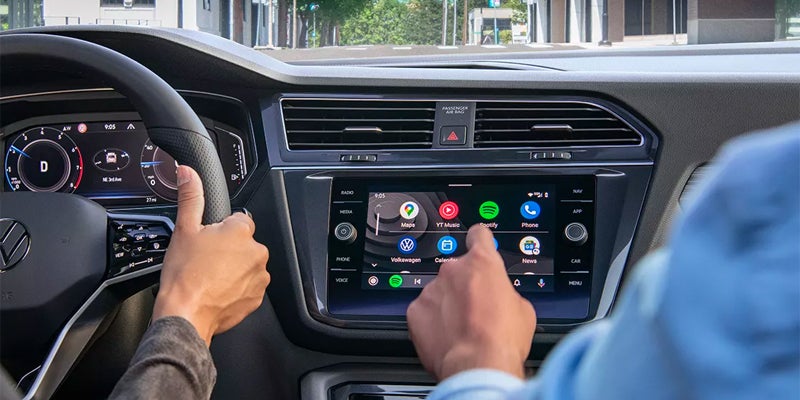
Bluetooth is hardly the newest technology inside a Volkswagen, which may be precisely why it works so well as an everyday feature. There are more sophisticated systems available across the Volkswagen range, but basic Bluetooth connectivity remains one of those features whose value comes from doing a relatively modest job reliably. For drivers around Longview, TX, Gorman McCracken VW can demonstrate how connectivity works across the current Volkswagen lineup. Bluetooth Has One Job, or Perhaps Two Bluetooth primarily establishes a wireless connection between a compatible phone and the vehicle. Depending on the Volkswagen and device, that can support hands-free calling and wireless audio streaming through the vehicle's sound system. Once paired, a compatible phone can reconnect without requiring the driver to repeat the entire process every time the engine starts, which is exactly how this sort of technology should behave. It doesn't need to impress you. It needs to connect, stay connected, and avoid becoming another task before you've left the driveway. Apple CarPlay Adds the Interface Bluetooth Doesn't Provide Bluetooth and Apple CarPlay® are related parts of the connected-car experience, but they aren't the same thing. Apple CarPlay® can bring compatible iPhone functions and apps into the vehicle's infotainment interface, including navigation, audio, messages, and calls. Volkswagen models such as Jetta, Taos, Tiguan, and Atlas offer infotainment systems with smartphone integration, although exact features and wired or wireless functionality can depend on model, trim, and equipment. Buyers comparing new Volkswagen inventory should therefore check the specific vehicle rather than assuming every screen provides precisely the same capabilities. Volkswagen Has Gone Beyond Basic Phone Pairing Depending on model and equipment, newer Volkswagen vehicles can offer additional connected features beyond Bluetooth, including smartphone integration, voice controls, and app-based vehicle functions. These systems can provide considerably more capability than simply streaming a playlist, but complexity isn't automatically progress. A good connected system should reduce the number of things demanding the driver's attention, not provide additional menus through which to admire the technology. Bluetooth remains valuable precisely because its basic purpose is so easy to understand. The Best Infotainment System Is the One You Can Operate Easily Specifications can tell you the size of a display and which connectivity systems are supported, but they cannot tell you how comfortable you'll be operating them. Drivers use infotainment systems differently. One person may rely heavily on navigation and voice commands, while another wants music and the occasional phone call and would prefer the rest of the electronics to remain politely out of the way. During a test drive, pairing your own compatible smartphone is one of the better ways to judge a Volkswagen's technology because it tests the system with the device you'll be using. Connectivity Should Still Leave the Driver Driving Hands-free calling and integrated smartphone functions can reduce the need to handle a phone, but they don't remove the driver's responsibility to concentrate on the road. Even voice-operated systems require some attention, and no Bluetooth connection has yet developed the ability to watch traffic on your behalf. Drivers should use connected functions appropriately and become familiar with the vehicle's controls before trying to manage unfamiliar menus in traffic. Connect Your Phone Before You Choose Your Volkswagen Gorman McCracken VW can help Longview-area shoppers compare 2026 Volkswagen models, trims, infotainment systems, smartphone connectivity, pre-owned inventory, financing, and trade-in options. If Bluetooth and phone integration are important to you, bring your compatible smartphone and test the features in the vehicle you're considering. Pair it, make sure the controls suit the way you drive, and schedule a Volkswagen test drive online today.

vw wireless charging '05 (31)

Why Wireless Charging and Connectivity Matter in Your Volkswagen

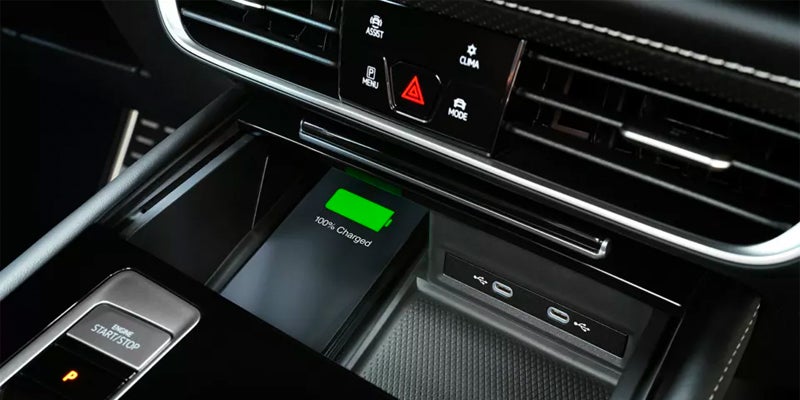
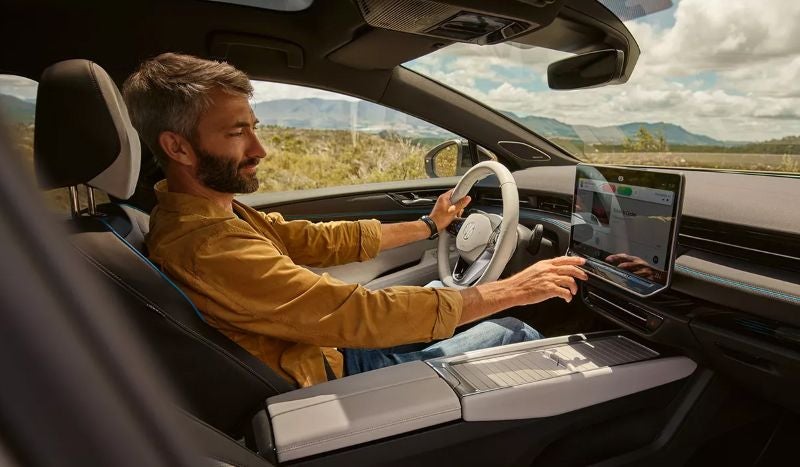
Modern driving is no longer just about the engine beneath the bonnet or the precision of the steering rack. Increasingly, it’s about how naturally the car slots into your digital life. For drivers in Longview, TX, that connection often begins with something deceptively simple: effortless smartphone integration. The Volkswagen wireless charging feature is one of those quiet innovations that reshapes the daily drive not with fanfare, but with the sort of ease that makes you wonder how you ever managed without it. In a busy town with a constant shuffle between errands, commutes, and longer journeys out of the city, convenience matters. A cabin free of cables and clutter feels calmer, more considered, more in keeping with Volkswagen’s understated approach to interior design. How Volkswagen Wireless Charging Works The wireless charging system is tucked neatly into the center console, where it sits ready for use without drawing any attention to itself. It’s Qi-enabled, so all that’s required is to set your compatible smartphone down on the pad; charging begins immediately. There’s no hunting for cables, no fighting with connectors, and no distraction. It just works. Alongside this sits Volkswagen’s broader suite of connectivity tools. Apple CarPlay® and Android Auto™ integrate naturally into the infotainment system, allowing navigation, calls, and media to move seamlessly between phone and car. The combination of wireless charging and wireless integration means your device does its job in the background while you concentrate on the road ahead. The Experience Inside a Modern Volkswagen Cabin Volkswagen interiors have always carried a sense of calm purpose. The latest models build on that character with technology that respects the driver’s attention rather than competing for it. Touchscreen layouts are clean, voice controls respond naturally, and the digital cockpit can be configured so only the most relevant information sits within your eyeline. For Longview drivers, this sort of clarity matters. It suits the varied rhythm of local roads, from the stop-and-go bustle of city driving to the sweeping highways that take you east or west across the state. When the tools you rely on behave intuitively, the entire driving experience feels more cohesive. Why Visit Gorman McCracken Volkswagen Gorman McCracken Volkswagen offers a full range of new VW models equipped with these advanced connectivity features, and the team understands them not as party tricks but as integral parts of a modern car. Whether the priority is staying fully charged, fully connected, or simply enjoying a tidier cabin, they can guide you toward the right solution. A great driving experience doesn’t always come from the dramatic things. Sometimes it’s the quiet, almost invisible technology—like wireless charging—that makes every mile feel a little more refined.

vw screen

VW Infotainment System and Technology: Everything You Need to Know

Volkswagen's infotainment system is designed to keep you connected wherever the road takes you. Whether you're navigating to a new destination beyond Longview, Texas, or streaming your favorite playlist, the system's ability connect to your smartphone adds endless convenience and enjoyment. With App-Connect, just select apps from your smartphone and they become accessible on your infotainment touchscreen—no cords required. Learning *how to connect your iPhone to your new VW* is straightforward, thanks to user-friendly features like Apple CarPlay®, Android Auto™, and Google. Intuitive Touchscreen Controls The heart of the VW infotainment system is its responsive touchscreen. With clear menus and an intuitive layout, you can easily access navigation, apps, playlists, and vehicle settings. For those who often drive in unfamiliar areas, the real-time traffic updates and turn-by-turn directions make this technology indispensable. Enhanced Safety Features Safety is always a priority for Volkswagen, and the infotainment system reflects this commitment. Voice command technology allows you to control many functions hands-free, minimizing distractions while driving. This ensures that you can keep your focus on the road ahead. Additionally, navigating to the Assist Systems menu on the touchscreen allows you to adjust your IQ.DRIVE safety systems as you like. How to Make the Most of Your VW Infotainment Technology To maximize your VW infotainment system, start by connecting your smartphone. For iPhone users, this involves enabling Bluetooth® or plugging in via USB to activate Apple CarPlay®. If you're unsure *how to connect your iPhone to your new VW*, the system provides step-by-step prompts to guide you through the process. Exploring Additional Features Beyond basic navigation and media controls, the VW infotainment system offers features like customizable driver profiles and integrated climate control. Spend some time exploring the menus to tailor the system to your preferences. Keeping Your System Updated Regular updates are key to ensuring optimal performance. Volkswagen often releases software updates to enhance functionality and add new features, so check periodically to keep your system current. Experience the Future of Driving with VW Infotainment The VW infotainment system and technology bring a new level of convenience, safety, and entertainment to your driving experience. From connecting your smartphone effortlessly to navigating with confidence, this system is engineered to meet the demands of modern drivers. Take full advantage of what it has to offer, and discover how Volkswagen is shaping the future of mobility at Gorman McCracken VW in Longview, Texas. For more details on Volkswagen's latest technologies, visit Gorman McCracken VW in Longview, TX.

Contact Us

Fill out this form below and we'll contact you shortly
*Required Fields
  Call Today